
Prewaits and postwaits help you finesse cue sequences by delaying the trigger of the current or subsequent cue.
A prewait is an amount of time that counts down before the selected cue actually starts.
Here, a pre-wait will count down for 5 seconds before starting the announcement gong.
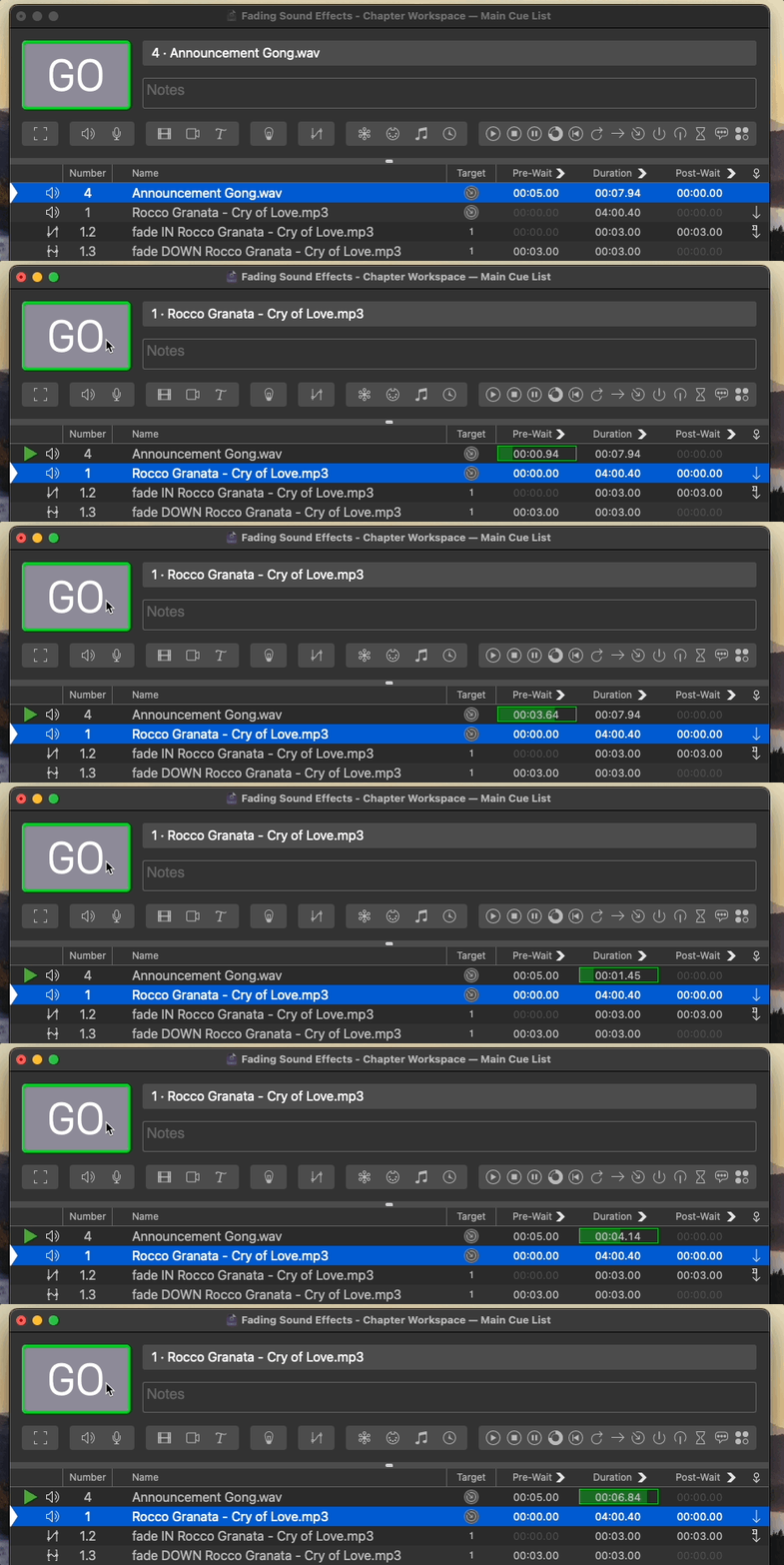
Or how about a more practical example … if we wanted a piece of music to ….
This would be a prime example of using a prewait and would look like this …
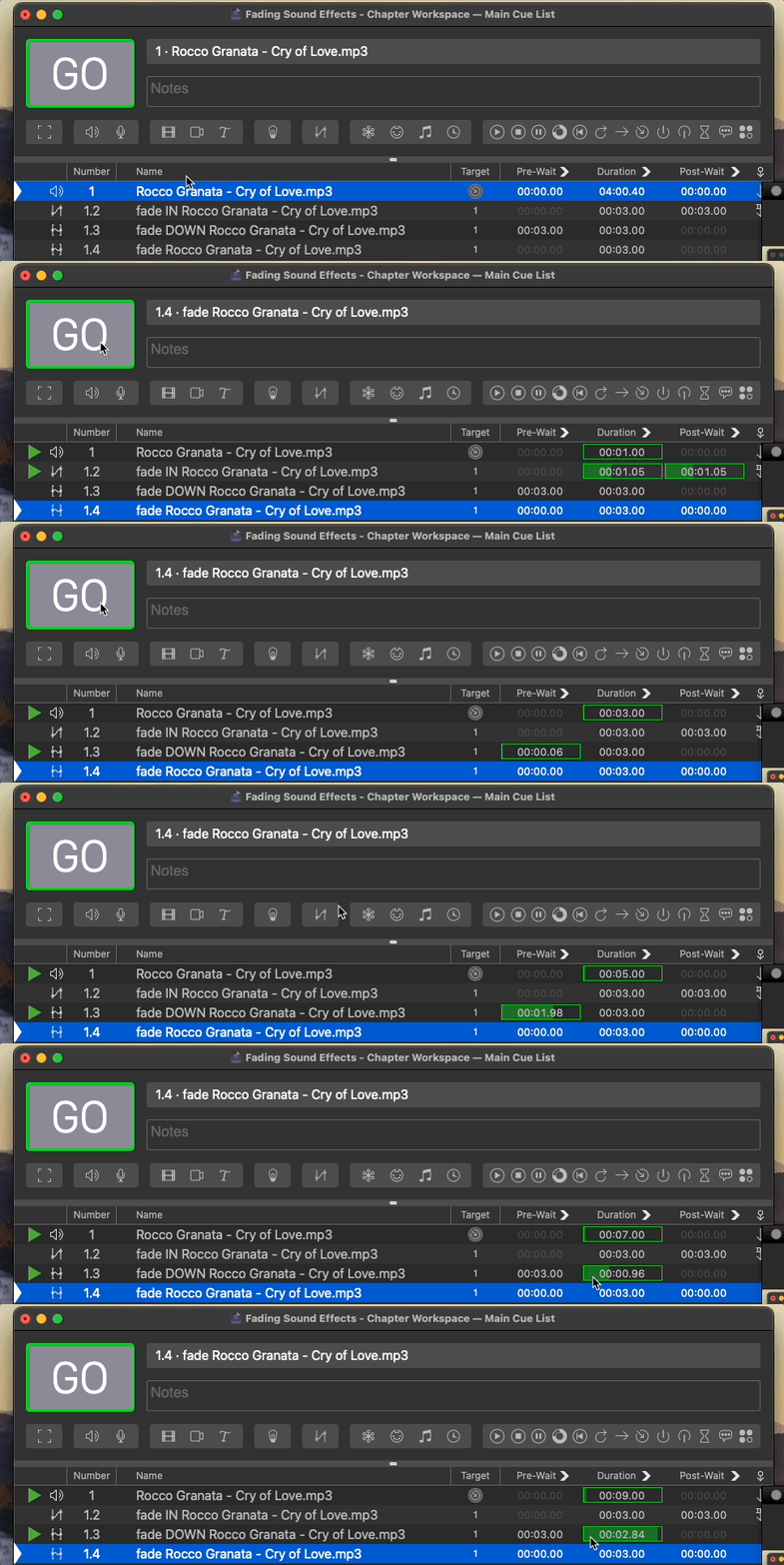
Conversely A post-wait is an amount of time that counts down after the selected cue is start and before the next cue is triggered (of course the next cue will only be triggered if auto-continue is enabled). So for example, if we wanted to start our music cue sequence while our gong sound is finishing, we could set a post-wait time that is slightly less than the duration of the audio file. After the hit of the gong is heard and the sound is ringing out, the music will automatically start.
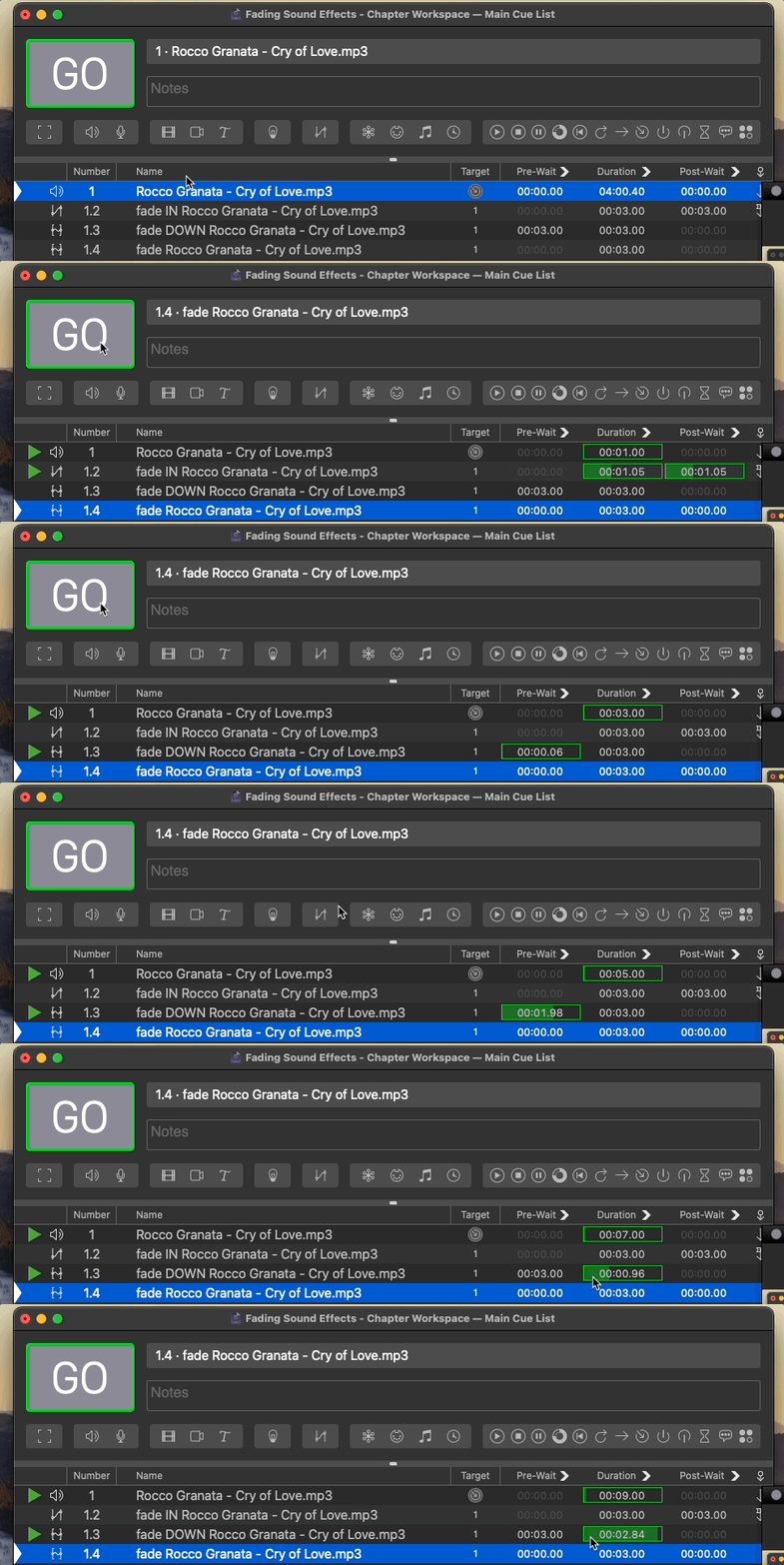
This is essentially the same functionality as an Autofollow – except that in an Autofollow, the time QLab waits is tied to the Duration. With a Postwait you can choose a different time.
Or if you want to get really classy, you can enter a negative number and QLab will apply a Post-wait that is shorter than the duration. So for example, a value of -2 will take 7.94 seconds minus 2 seconds.
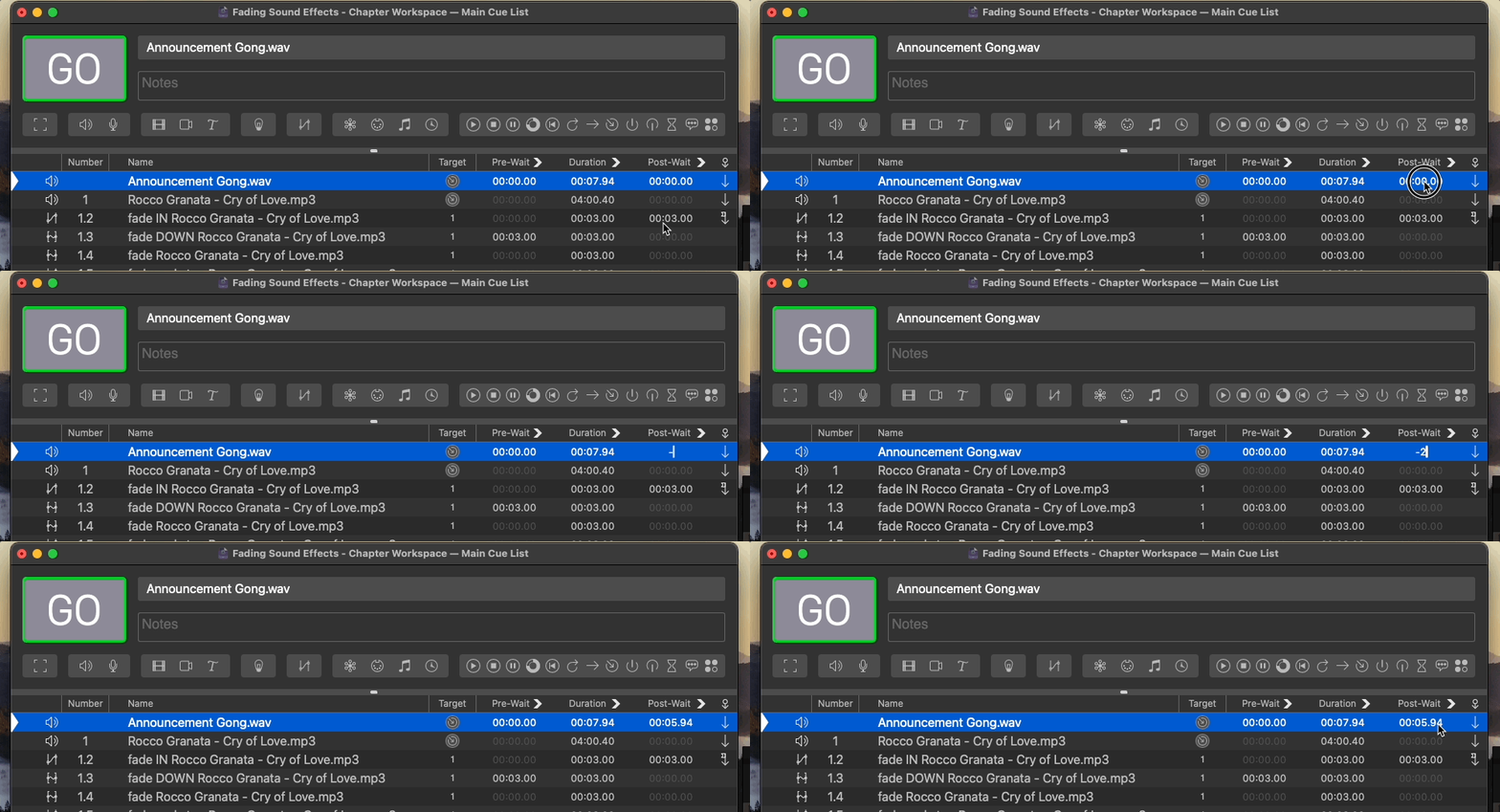
This is really handy when you might trim a piece of music by adjusting the end time and want to cross fade with another song.
Create a cue sequence that fades in an audio file, lets it establish, then fades it down to a quiet volume.
What are the benefits of using a prewait or postwait?
They can help you finesse cue sequences.