
Once you understand how a Fade In cue works, Fade Outs are easy. Simply add another fade cue, apply the audio cue as the target (not the Fade In cue, that’s not what you’re fading).
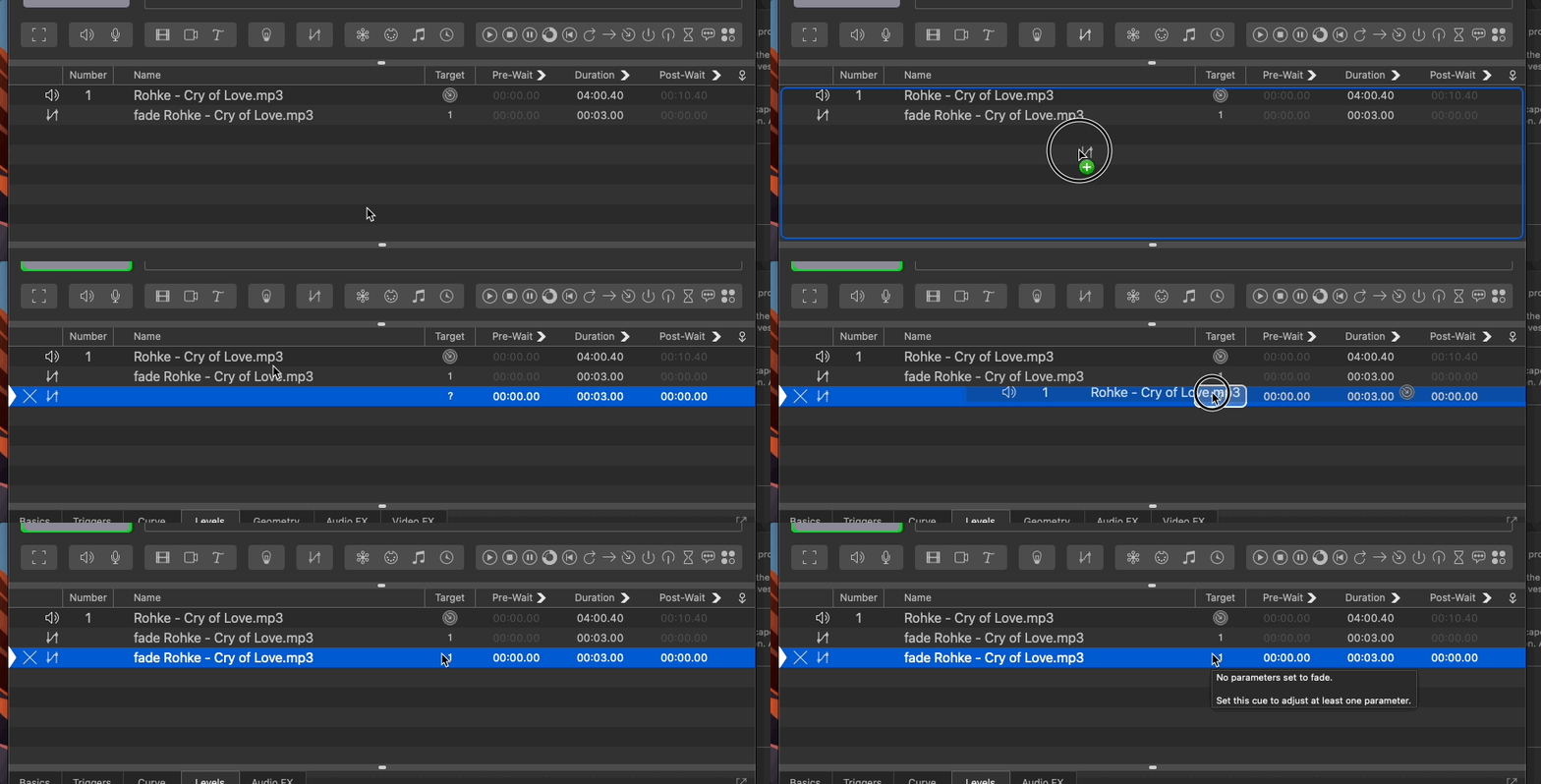
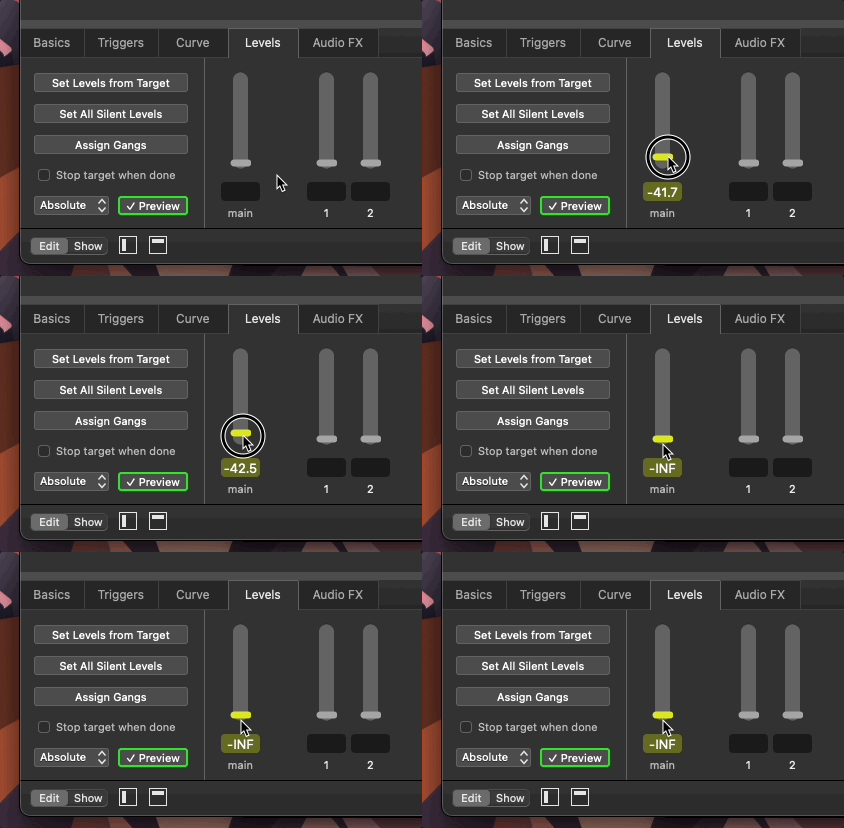
Next adjust the volume of the fade. In this case, we’ll lower the master volume all the way down, to -INF, negative, nothing, nada. Make sure that the fader is yellow so that it know that it’s supposed to do something.
Once you have your audio cue playing, press GO on your fade out cue and the volume will go down, down, down until it’s all the way out.
Taking the same song as the previous lesson, create a fade cue that fades the song to silence.
When fading out a cue should you target the audio cue or the fade in cue?
The audio cue.