
Cue lists are great when you have a known, predictable sequence of events. I play this cue, and for the most part, I know the next cue in the list will be the next one played (of course in live theatre you never know what might happen).
For other events you might know that certain cues need to be executed, but have no idea in which order they be played. For this type of environment, QLab has created the Cue Cart, which is a different type of cue list. Rather than containing a list of cues, a cart contains a screen of buttons that can be pressed at any given moment. Each button is a cue, just like in a cue list. It executes the same. It interacts the same. The only difference is really the interface.
For example. Here is a cue cart I used for an improv show (what better example of not knowing what’s going to happen than improv?). I had 16 sound effects that I wanted to play, if played, the actors would have to integrate into their scene. Thunder. Door slam. Barking. Dryer buzzer. I didn’t necessarily use all these and I certainly didn’t know the order I wanted use. So a cue cart was perfect.
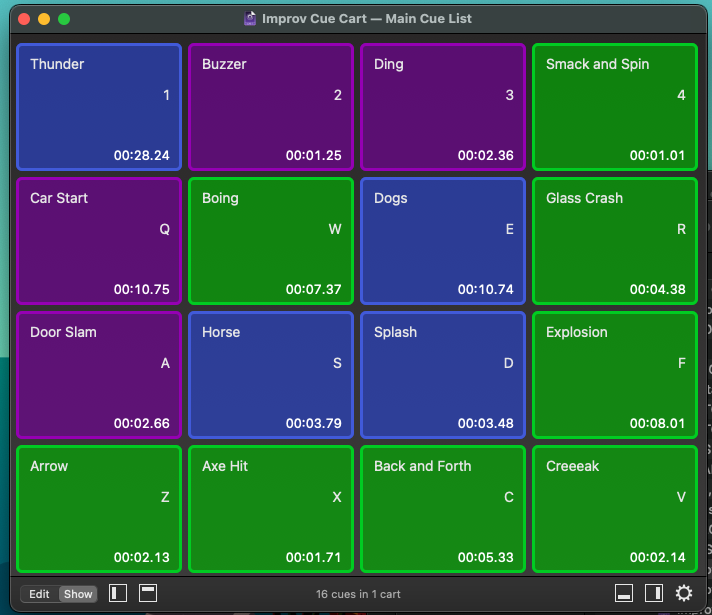
Any cue type can be added and edited just like in a cue list. Run the cart in SHOW mode to make the buttons clickable – otherwise, while in Edit mode, you’ll have to press the small arrow at the top right.

Download this workspace and try it out.
What the difference between a cue list and a cue cart?
The Interface