
This is one of the assignments from the lighting design class I teach – an introductory project, keeping it simple. The goal is to try out the first two elements of lighting design …
The files you’ll need can be accessed from the Up and Running with ETC EOS folder you hopefully already downloaded, otherwise you can access it all from this link. In that folder you’ll find …
The assignment sheet assumes that you’ve already picked out a piece of poetry to inspire your lighting design; however, you could use any muse. Many lighting design courses will ask you to light a scene inspired by a painting you’ve seen or a photo you took. In this particular project with only intensity and angle at your disposal, I think it would be smart to try and copy a Film Noir style photo.
Once you open the file, begin by running Macro 1 ( [M] [1] [Enter] ). This will reset the environment for this particular assignment.
This project is a rig of 72 lights in a half sphere around two of the most influential people in history; Abraham Lincoln and Darth Vader. Or … at least around two busts that had enough detail for you to see what light does to faces.
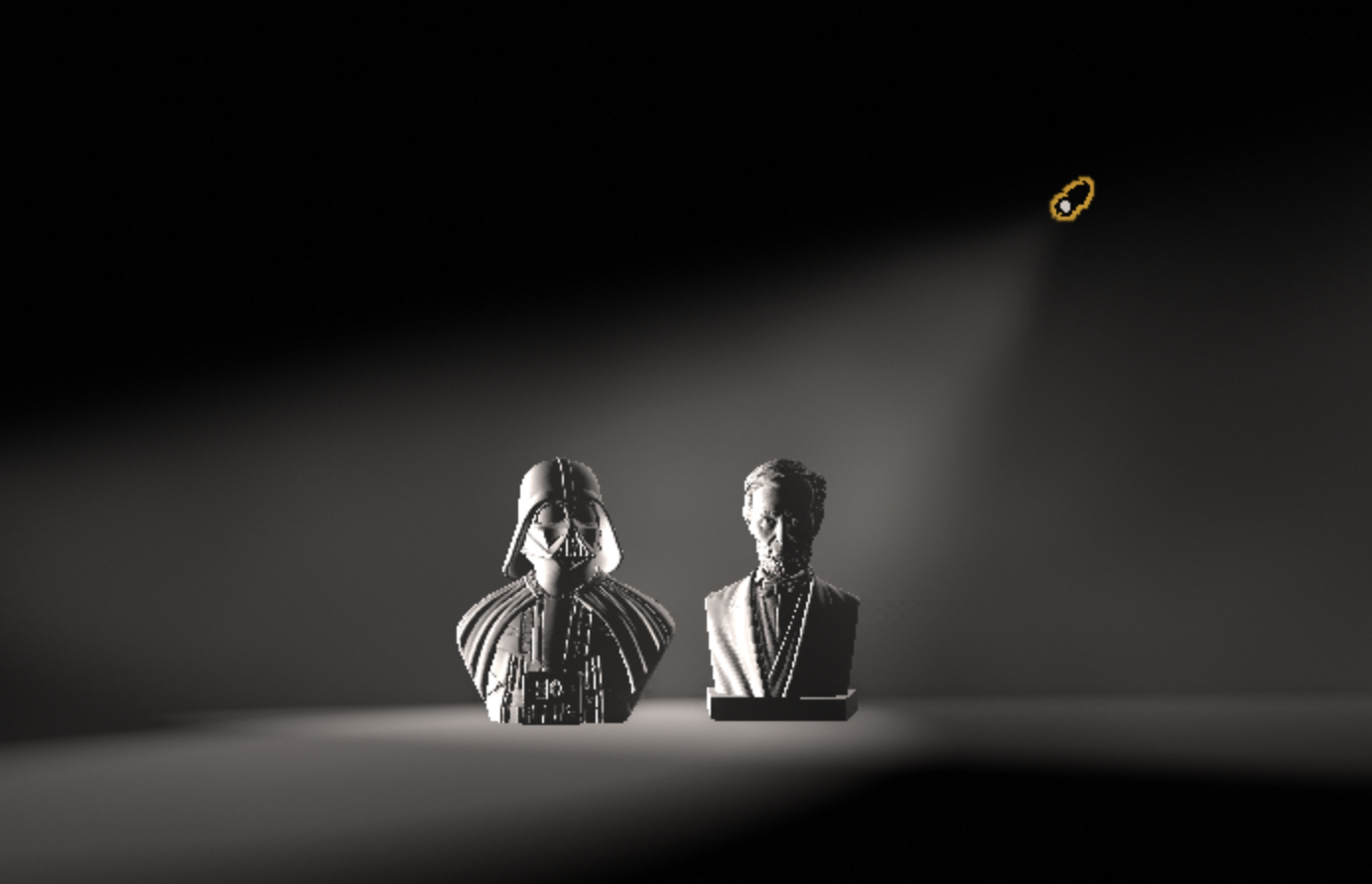
The purpose of the project is to play around, to experiment with angles and intensities. Try turning a light on, see what it does, turn it off, and try another. Then pick just two or three lights to craft a compelling look that expresses an emotion. Here, let shadow speak; we’ll fill it in later.
To make your life easier, I’ve created a fancy interface … so be sure to begin by loading Snapshot 1 … it’ll make your life easier.
If that all makes sense, fantastic, otherwise watch this lesson video to see exactly what’s going on.