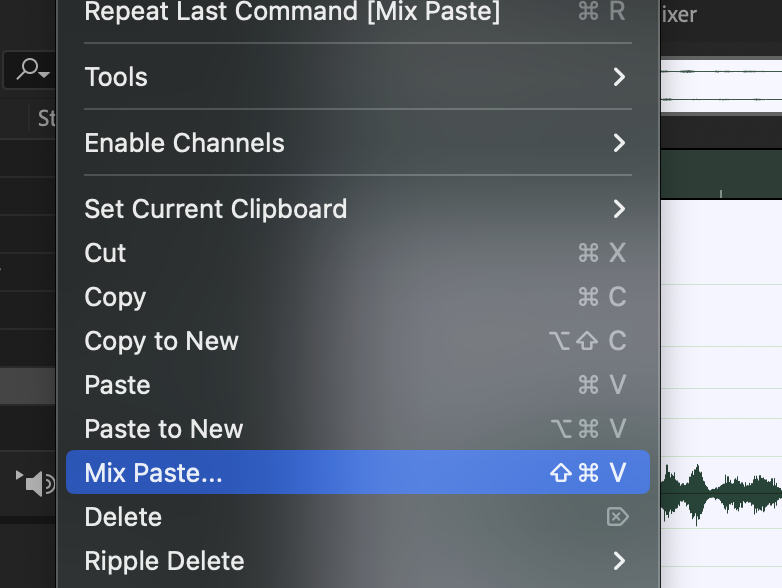
Now that we’ve got two good sounds, let’s mix them together. This isn’t the best or most efficient method – but it’s good to know all the various ways to accomplish a task.
Select the entire “Bird Chirp.wav” file [Ctrl + A] and copy it [Ctrl + C]
Go to the “Water Pour.wav” file
Select the entire sound [Ctrl + A]
Now use the Mix Paste tool under the Edit menu … Edit > Mix Paste [Ctrl + Shift + V]
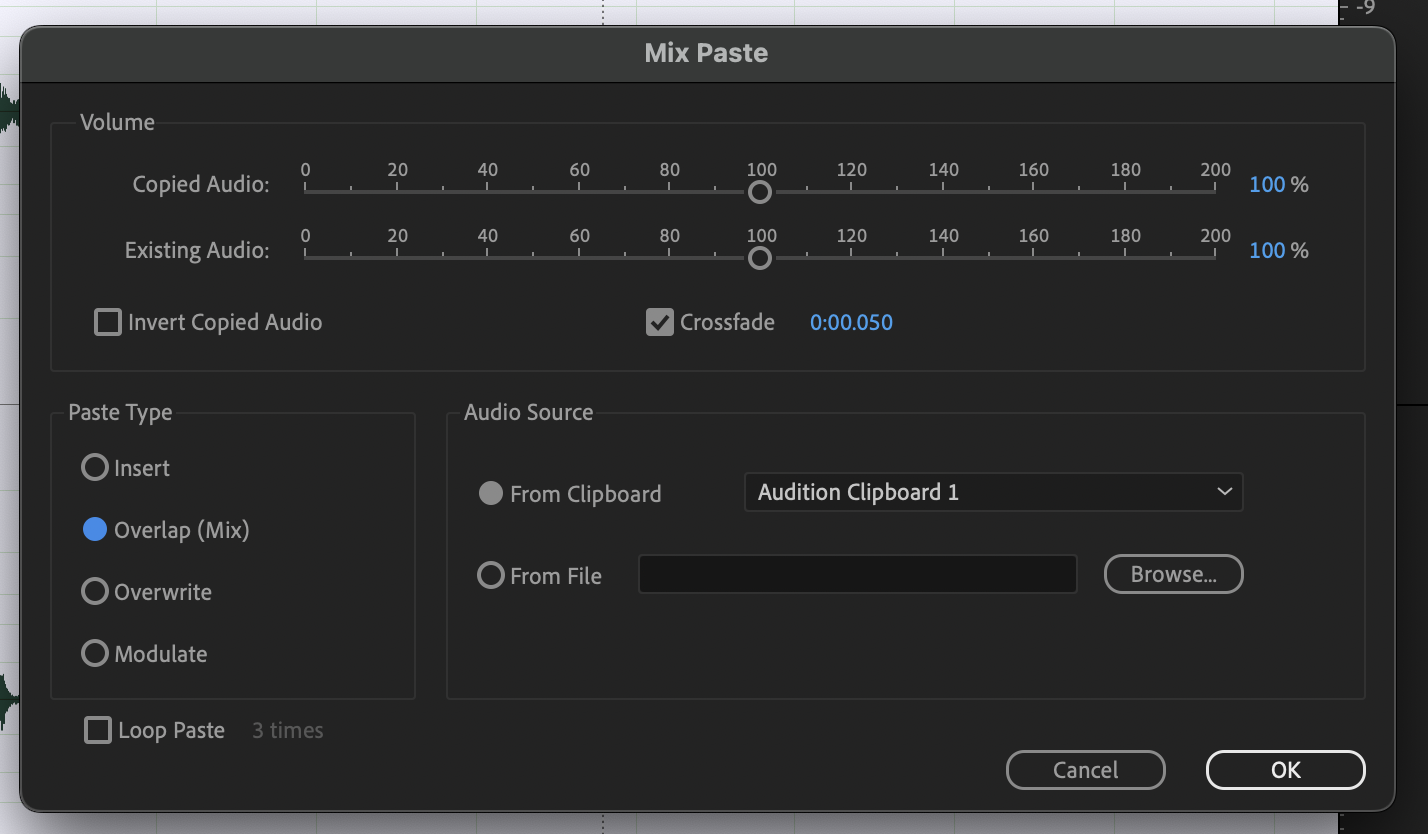
There are lot of options here. To mix these two sounds together, you’ll need to select the Overlap (Mix) type.
Then press OK
Undo/Repeat, adjusting the volumes of the Copied and Existing audio until you’re happy with the balance.