Occasionally you’ll need to share a Session with someone else, not as a mixed file, but as an entire session. Because Audition points to files, you can’t simply share the SESX file, you need all the original audio as well.
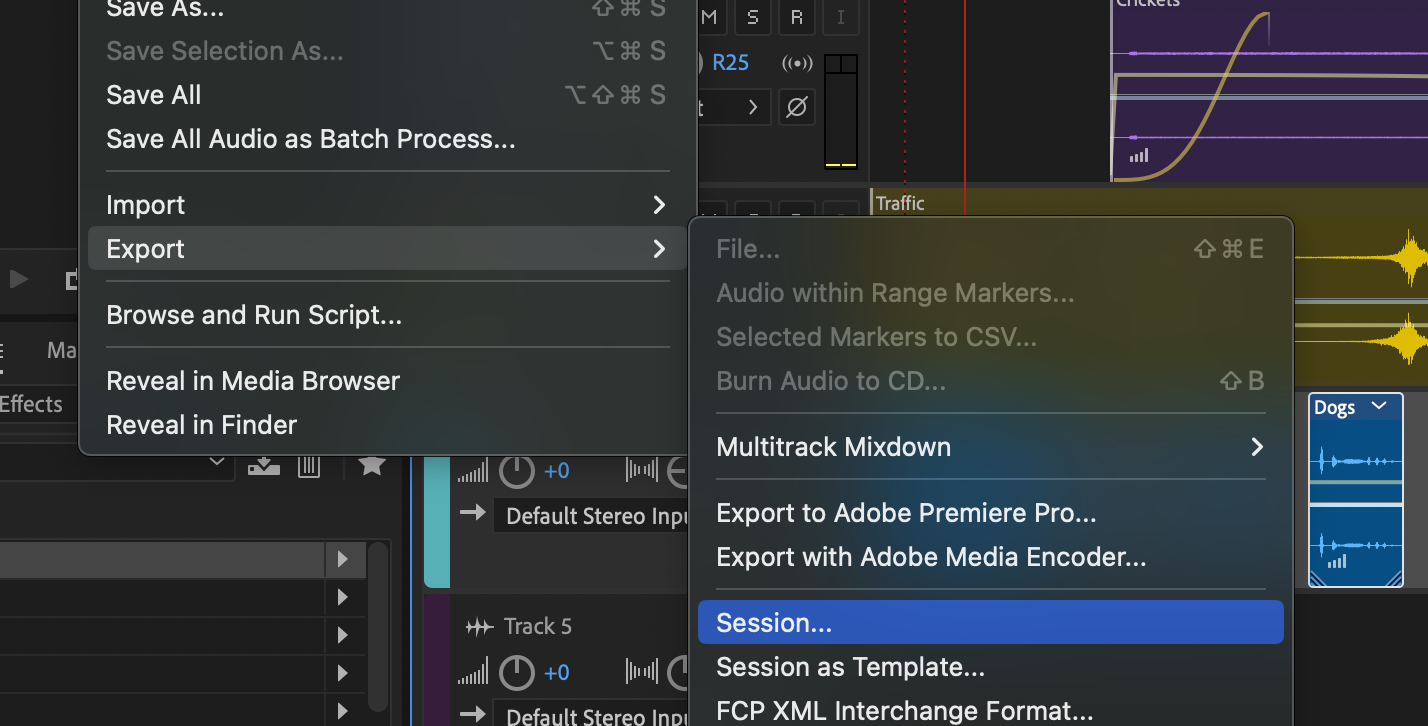
This can done from the file menu … File > Export > Session
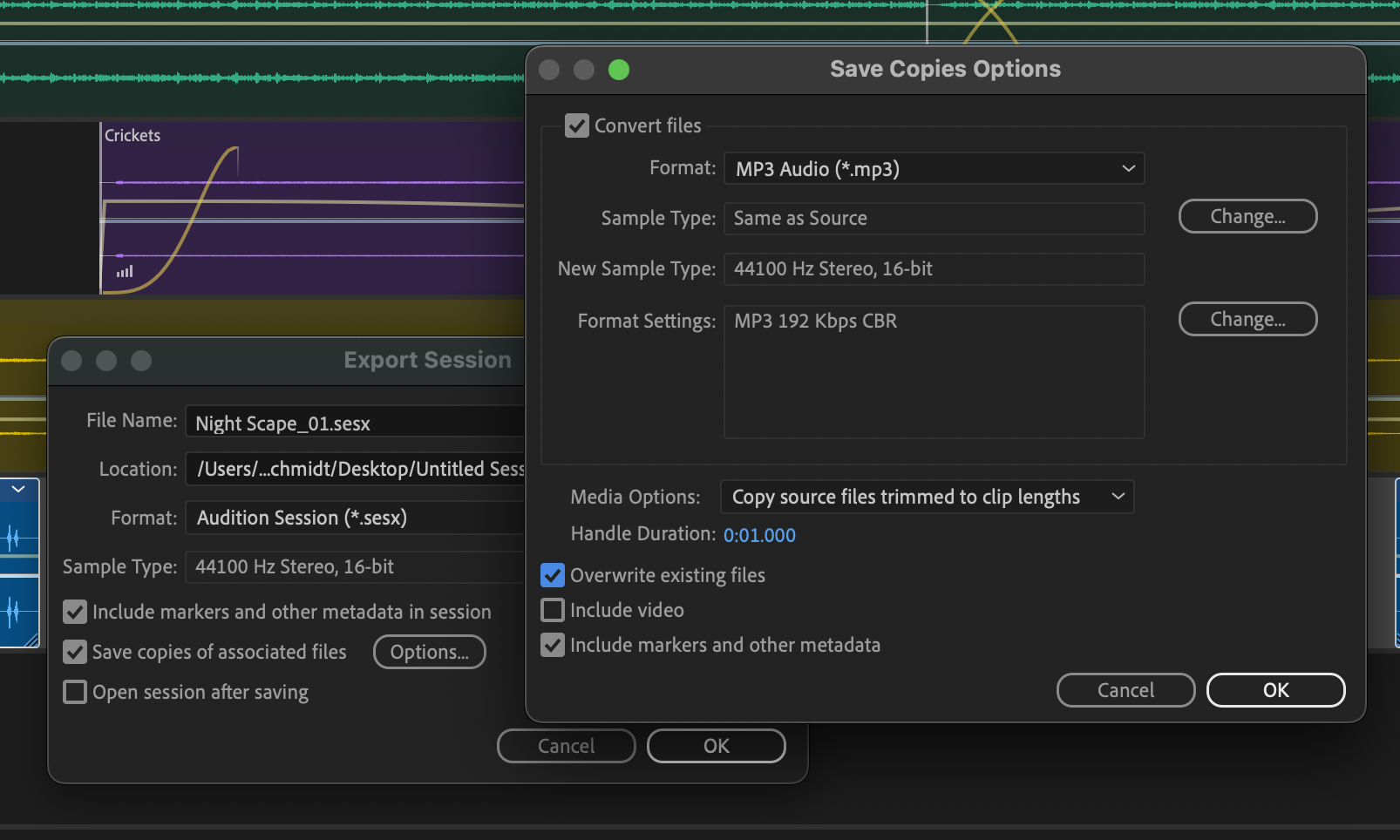
To make sure you gather the files of “consolidate” the files into a single location, enable the “Save copies of associated files” toggle. You can go further with the Options button to convert the files into a different format (for example MP3 files would take up less space). You could even choose to crop the audio files to the block’s length.
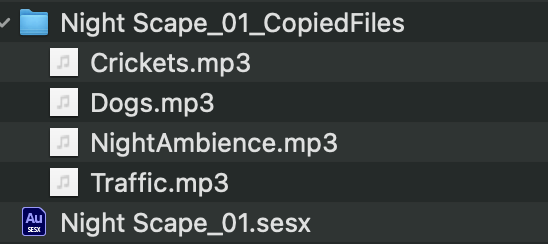
Press OK and Audition will gather your files and a copy of your SESX file and place them together, side by side.